~ 3 min read
FileRise vs. nextExplorer
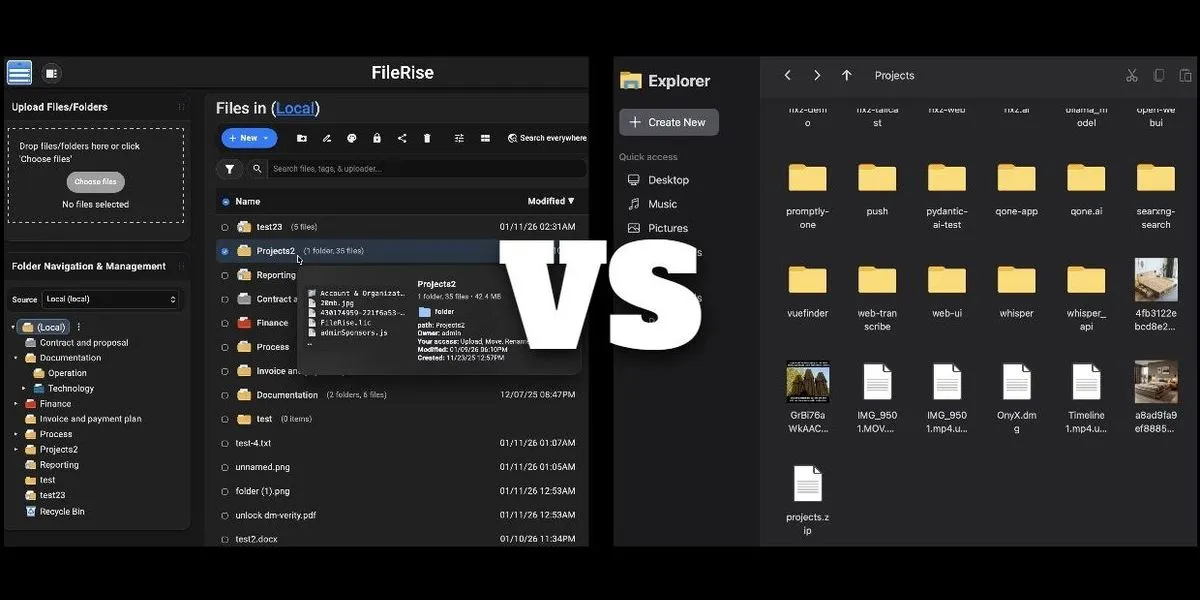
The best modern, self-hosted file managers that actually respect your architecture (flat shared folders, clean UI, real permissions).
Let’s compare them head-to-head on resource usage, integration fit, and long-term maintainability.
📊 Resource Usage Comparison
| Feature | FileRise (PHP) | nextExplorer (Node.js + SQLite) |
|---|---|---|
| RAM (idle) | ~80–150 MB | ~120–250 MB |
| CPU (upload/scan) | Low (PHP-FPM scales well) | Moderate (Node.js + thumbnail workers) |
| Disk I/O | Light (no background indexing by default) | Higher (generates thumbnails, search index) |
| Startup time | Instant | 2–5 sec (initializes Express + DB) |
| Dependencies | Apache/Nginx + PHP 8.3 | Single Docker image (self-contained) |
Winner for low-resource systems: FileRise
Winner for rich previews & search: nextExplorer
🔌 Integration Fit
Option 1: FileRise inside your AMP stack
- ✅ Perfect fit if you already run PHP apps
- ✅ No extra container, reuse existing Apache/PHP/MariaDB
- ✅ Lower overhead (shared process space)
- ⚠️ But: you lose isolation (a bug in FileRise could affect other PHP apps)
- ⚠️ Requires manual config (
.htaccess, paths, permissions)
Option 2: nextExplorer as standalone Docker service
- ✅ Fully isolated, zero conflict with AMP
- ✅ Mounts
/shareddirectly as/mnt/Public - ✅ Built-in OnlyOffice support (if you ever need Office editing)
- ✅ Real-time search + thumbnails out of the box
- ❌ Slightly heavier, but still lightweight for a modern mini-PC
🛡️ Permissions & Workflow Match
Both support:
- Multi-user with roles
- Public share links (with expiry/password)
- ACLs per folder
But:
- FileRise has finer-grained ACLs (e.g., “view own uploads only”)
- nextExplorer has simpler UX better for non-tech users
If you want editors to drop files into /shared/uploads that admins can instantly see/share, both work but FileRise gives more control, while nextExplorer is smoother.
🎯 Recommendation
Choose FileRise if:
- You’re comfortable managing PHP apps
- You want minimal RAM/CPU usage
- You value granular permissions over fancy previews
- You’re okay with slightly more setup
Choose nextExplorer if:
- You prefer “it just works” Docker deployment
- You like thumbnails, video previews, and search
- You want full isolation from your AMP stack
- Your hardware has ≥2GB RAM (most mini-PCs do)
💡 Pro Suggestion: Start with nextExplorer
Why?
-
It’s designed for a specific use case: mount host folders as volumes
-
The Docker Compose setup is trivial:
volumes: - /home/umbrel/shared:/mnt/Shared -
No PHP version conflicts, no
.htaccessdebugging -
You can always switch later
And if you later need ultra-fine permissions, add FileRise as a second tool for sensitive workflows.
Final Thought
Both are excellent, and align with a Tunnel + Coolify + shared-folder philosophy: simple, visual, and container-native.
🔗 Official site:
Related Articles
Run a local-first environment.
Nextcloud vs oCIS
Nextcloud vs ownCloud Infinite Scale. The Go-Based, Lightweight Alternative

TurnKey OS for your Homelab
TurnKey OS for your Homelab

Most Popular Home Media Apps
Most Popular Home Media Apps